Three n8n workflows for small business admin with Gmail inbox triage, Stripe failed-payment emails and lead follow-up
I packed three n8n workflows around the admin that eats a small business's week. One sorts your inbox, one emails customers when a Stripe payment fails and one thanks and follows up new leads. Everything logs to one Google Sheet you own.
About this app
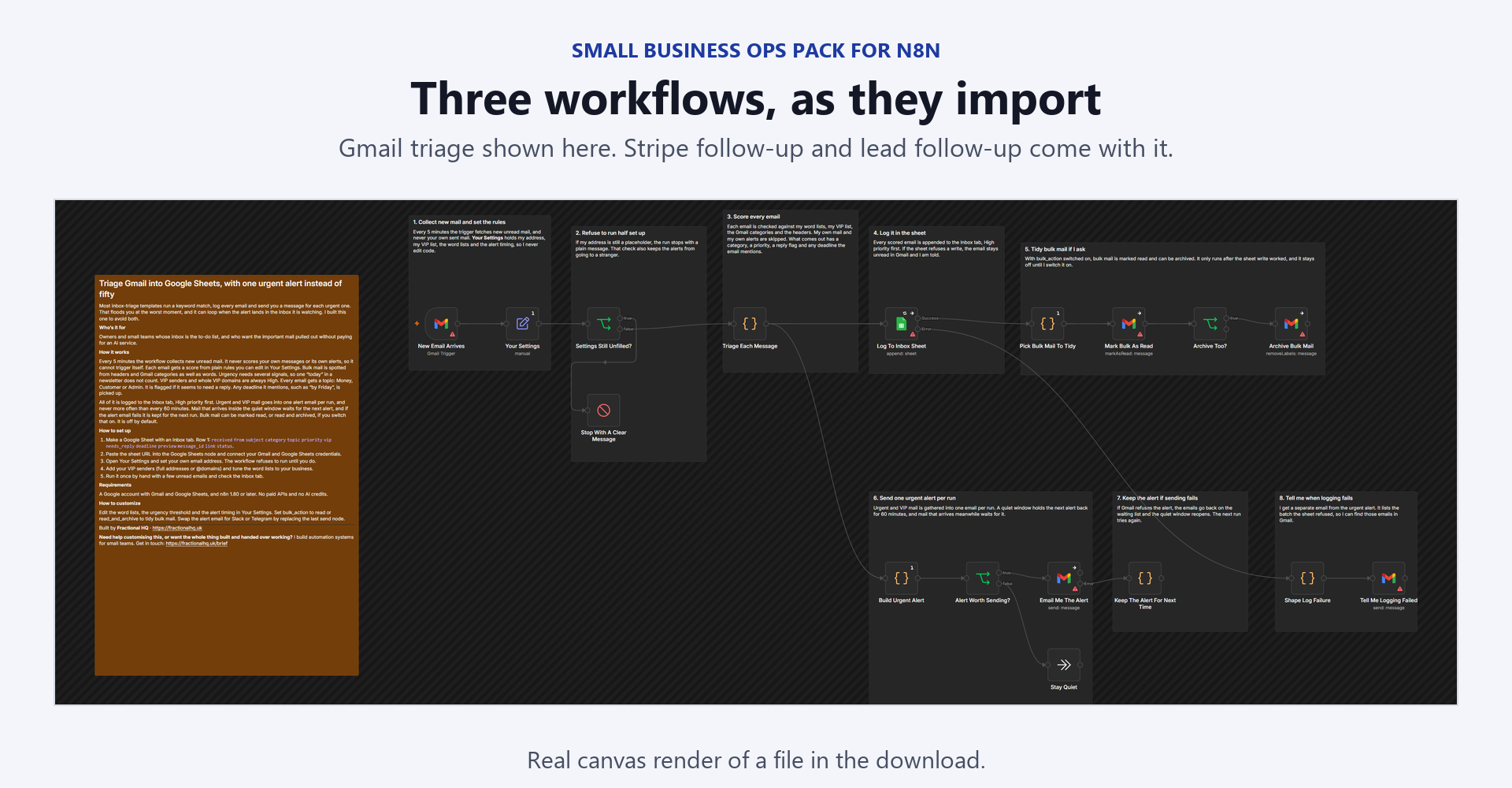
Nothing here needs a paid API, an AI credit or any service beyond Gmail, Google Sheets and Stripe. Every workflow refuses to run while your name or email address is still a placeholder. Each one starts in a safe mode that emails nobody but you, tells you by email when something fails and avoids doing a job twice, so a retried webhook or a repeated enquiry never sends a second email. Workflow 1, Gmail triage - Every 5 minutes it collects new unread mail and scores each email with plain rules for priority, topic, VIP senders, needs_reply and deadline phrases such as "by Friday". - Bulk mail is spotted from headers, Gmail's categories and your ignore list. Bulk mail is Low priority and can never be Urgent. - Logs everything to an Inbox tab, High priority first, and sends Urgent and VIP mail in one alert email per run, no more often than every 60 minutes by default. - Can mark bulk mail read or archive it if you switch that on. It is off by default. Workflow 2, Stripe failed payments - When Stripe sends invoice.payment_failed or invoice.paid, the invoice gets one row in an Invoices tab, updated in place. - The customer is emailed only on the attempts you list (1 and 3 by default), once per attempt, and never again when Stripe retries the same event. - A later invoice.paid flips the row to Paid. You get a note for each email and an email if the sheet or Gmail fails. Workflow 3, lead follow-up - Your website form posts to the workflow's webhook. Each lead is logged and thanked once. A repeat within 30 days is logged as a Repeat and not thanked again, and a hidden bot-trap field rejects spam. - Every morning at 09:00, leads still marked New and between 2 and 10 days old get one follow-up, up to 20 a day. A row is marked Followed up only after a real send. Safe by default: workflows 2 and 3 start in preview mode, so every customer or lead email comes to your own address with a banner naming who it would have gone to. Workflow 1 only emails you. What you receive - 1-gmail-triage.json, 2-stripe-followup.json and 3-lead-followup.json, credentials removed. - README.md with the credentials, the three sheet tabs and their headers, the setup steps, every setting and the known limits. - code-nodes/: read-only .js copies of the 10 Code nodes, so you can review the logic before importing. What you need to run it - n8n, cloud or self-hosted. Workflow 1 needs 2.19.0 or later, workflow 3 needs 1.102.0 or later and workflow 2 needs 1.59.0 or later. - Gmail OAuth2 and Google Sheets OAuth2 credentials. - For workflow 2, a Stripe account. n8n registers the Stripe webhook when you activate, so use a restricted key with write access to Webhook Endpoints, or start with your test-mode secret key. - For workflow 3, a website form you can point at a webhook. If you self-host, set WEBHOOK_URL to your public address. Fields you edit: the sheet URL in every Google Sheets node, your email address and your name in Your Settings, your VIP senders and word lists for workflow 1, and the customer wording in the Code nodes named in the README. Setup time: the n8n side is three credentials, one sheet with three tabs and the Your Settings node in each workflow. Workflow 2 is tested with Stripe's test card for a failed payment before you activate it, and you run each workflow once by hand. Tested: I tested the logic of every Code node with fixtures and ran all three workflows on n8n with simulated Gmail, Google Sheets and Stripe responses, including simulated failures. I did not send a real email, read a real inbox or register a live Stripe webhook before shipping, so do your own safe-mode run first. What it does not do - Triage uses keyword rules, not AI, so expect to tune the word lists in the first week. - Gmail polling can lag by a few minutes and fetches up to 25 messages per poll. - The urgent-alert quiet window only works once the workflow is active. - No SMS or chat alerts. Workflow 3 sends one follow-up per lead and then stops. - No WhatsApp booking, voice agents, CRM sync, tax or accounting. - Only email people who asked to hear from you or are your customers, and follow your local rules such as UK PECR and GDPR. Licence: Personal and commercial use on your own instances and for your own clients. Do not resell or redistribute the files themselves. Support: for setup questions, email support@fractionalhq.uk with your order email, your n8n version and the error text from the Executions list.