Excel Formula Helper: English to Formula
Describe a formula in plain English, explain one you have, fix errors, and insert it into the selected cell.
About this app
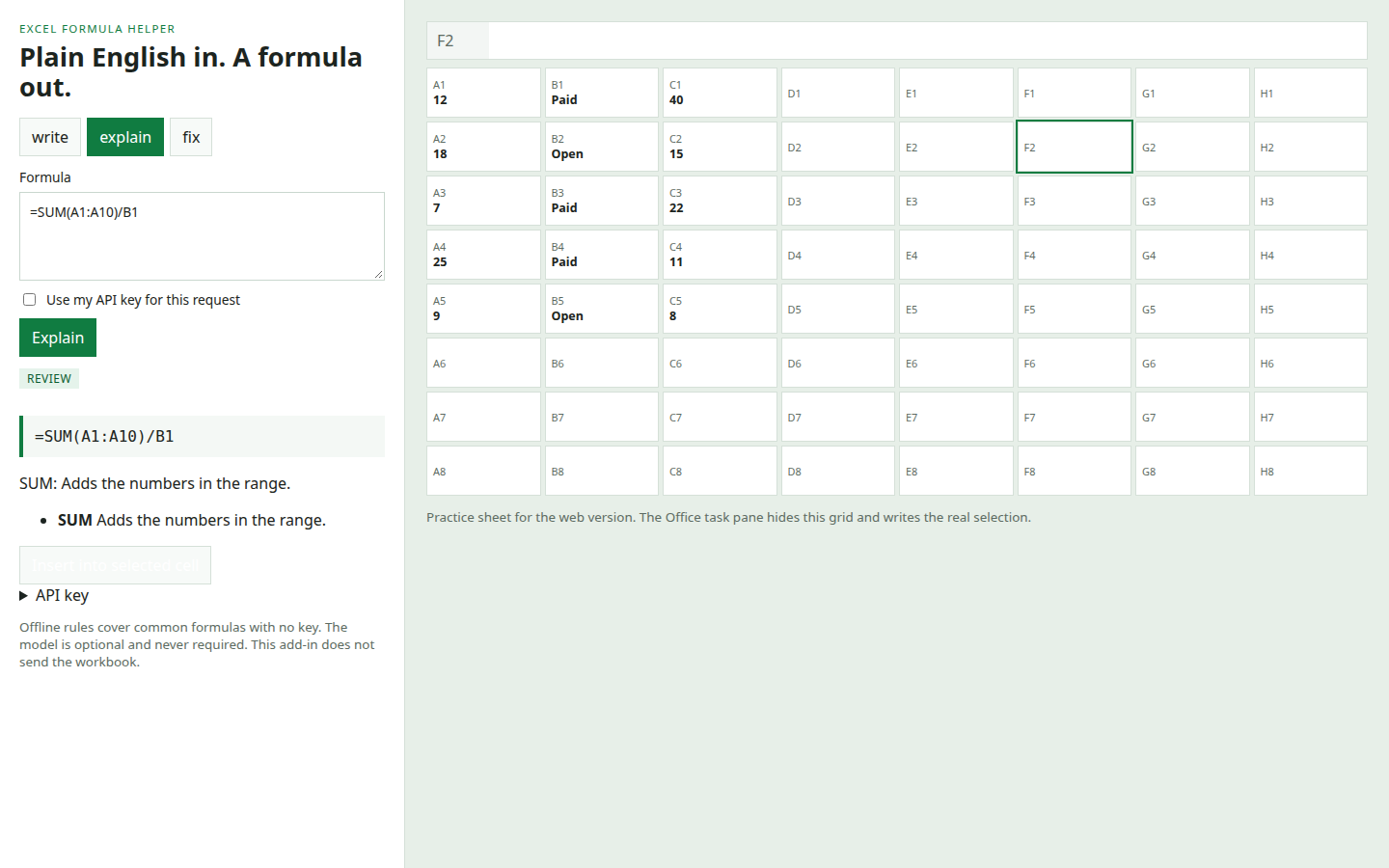
Excel Formula Helper is an Office task pane add-in plus a standalone web app. Describe the calculation you want in plain English and it returns a worksheet formula. You can also paste a formula to see what each function does, or paste a broken formula and a hash error such as #DIV/0! or #N/A to get a mechanical fix. Common requests run offline: SUM, AVERAGE, COUNT, SUMIF, SUMIFS, COUNTIF, XLOOKUP, VLOOKUP, INDEX/MATCH, IF, percent change, ROUND, TEXTJOIN, IFERROR, dates, and text cleanup. Insert writes the formula into the selected Excel cell. The web version has a practice sheet so you can try that without Excel. An OpenAI-compatible key is optional. When you turn it on, the local server forwards only the sentence you typed, not the workbook. If the model fails, the offline rule is used when one matches. The model prompt refuses VBA and macros.
Problem it solves
People who know the result they want still lose time looking up Excel function arguments, and a wrong quote or a missing equals sign is enough to break a formula.
Key features
- ✦ Plain-English requests become Excel formulas
- ✦ Explains an existing formula function by function
- ✦ Fixes missing equals signs, parentheses, quotes, and common errors
- ✦ Inserts the formula into the selected Excel cell
- ✦ Standalone web version with a practice sheet
- ✦ Offline rules for common formulas when you have no API key
- ✦ Optional OpenAI-compatible key for open-ended requests
Tech & operating
Ownership & legal
Known issues
Excel desktop and Excel on the web require an HTTPS task-pane URL before the manifest will load. The web practice sheet runs on HTTP. Offline rules cover common patterns, not every Excel function. Open-ended requests need your own model key.