Stripe deposits for Google Calendar bookings in n8n, with one reminder and unpaid slots released
Every new booking in your Google Calendar gets a Stripe deposit link by email. I built it for salons, physios and trainers who lose money to no-shows. A paid booking turns green, and an unpaid one is released at your deadline so you can give the slot to someone else.
About this app
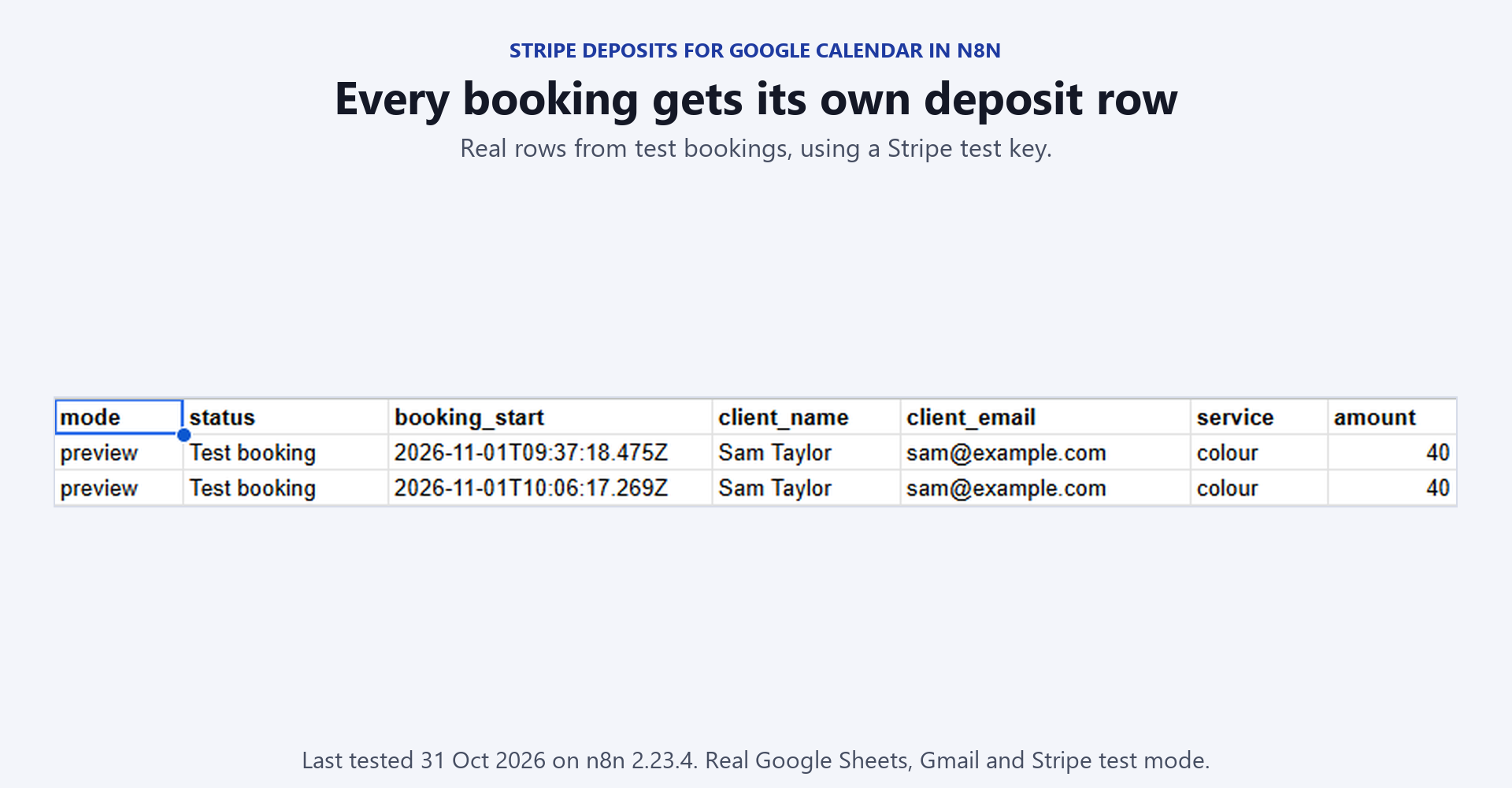
I made this for the salon, barber, nail studio, physio, tutor or personal trainer whose clients book and never turn up. It works on the Google Calendar you already use, however the booking got there. You might type it in after a phone call, copy it from a message or have a booking bot write it. What it does - Reads your calendar every 15 minutes. A new timed booking whose title has a booking word or one of your service words gets a Stripe Checkout link by email, for the deposit you set for that service. - Sends one reminder halfway to the deadline, when the hold is 2 hours or more. - Records a paid booking as Paid and emails the client a confirmation. In send mode the booking turns green. - Closes the checkout at the deadline if nobody paid, turns the booking red and tells the client the slot was released. It closes the checkout before it releases a slot. If the client paid at the last moment, nothing is released and the payment is recorded on the next run. - Applies your cancellation rule when you delete a paid booking from the calendar. An early cancellation is refunded through Stripe when auto_refund is on, or marked Refund due. A late one keeps the deposit. - Emails you at 07:30 with today's bookings and each deposit's state, the refunds you still owe and the deposits paid in the last 7 days. A quiet day sends nothing. - Writes failures to an Errors tab and emails you, at most once every 6 hours for the same failure. Safe by default: it refuses to run while your email address, business name, sheet URL or thank-you page is still a placeholder, or while a setting cannot be read. It starts in preview mode, so every client email comes to your own inbox until you switch sending on. The first run only marks the moment it started, so clients who booked before that are never asked for a deposit. It never asks twice for the same booking. What you receive - 1-booking-deposits.json, credentials removed. - README.md with the credentials, the two sheet tabs and the setup steps. - A seven-step test plan in the README using Stripe's test card, plus every setting and the known limits. - sample-deposits-sheet.csv and sample-errors-sheet.csv with the tab headers. - code-nodes/: read-only .js copies of the 8 Code nodes, so you can review the logic before importing. What you need to run it - n8n, cloud or self-hosted, version 2.x. I tested it on 2.38. - Google Calendar, Google Sheets and Gmail OAuth2 credentials, plus a Stripe API credential. Start with your Stripe test key. No environment variables are needed. - Your bookings must be timed events in one Google Calendar. All-day events are skipped. - Stripe takes its usual card fee on every deposit, and a refund does not return that fee. Fields you edit: owner_email, business_name, sheet_url and thank_you_url in the Your Settings node, then your amounts in deposit_rules and default_deposit. Set calendar_id if your bookings are not in your main calendar. Setup time: the n8n side is four credentials, one sheet with two tabs and the Your Settings node. Then you work through the seven test steps, which include a two-hour hold to watch a release. Tested: I ran the main lanes on n8n with a Stripe test key and my own Google Calendar, sheet and Gmail. That covered deposit requests with the halfway reminder and a release in send mode that turned the booking red. It also covered a waived booking turning grey, a booking deleted before payment and an automatic refund that Stripe confirmed. The paid lane and the morning list ran with simulated data. Moved bookings, repeating bookings and a deposit email that fails to send were checked in offline tests only, so pay your first test booking with the test card before you go live. What it does not do - Payments go through Stripe only. - Clients are reached by email only. A booking with no email sends the link to you to forward. - Refunds are full refunds of the deposit. Partial refunds and no-show charges on a saved card are not covered. - Repeating bookings are skipped unless you set include_recurring to yes. - A crash inside the workflow's own logic shows as a failed execution in n8n, and the Errors tab misses it. - Payments are checked every 15 minutes, so a confirmation can take up to 15 minutes. - Under UK consumer law a deposit must be fair to the client, so keep it modest and state your policy plainly. Licence: Personal and commercial use on your own instances and for your own clients. Do not resell or redistribute the files themselves. Support: for setup questions, email support@fractionalhq.uk with your order email, your n8n version and the error text from the Executions list.